
 The other day, a client of mine sent me a pdf file. It was a flyer. She wanted to replicate that flyer and wanted to use the exact same font. I easily replicated the graphics and overall layout of the flyer, but finding the exact same font was a bit of challenge (at first!).
So, like everyone else, I turned to my good old friend “Google” and started looking for a solution. My first attempt in solving this “mystery” involved using some websites that claim to specialise in font recognition. Oh, how foolish I was! I tried 3 different websites. The suggested fonts from all of these 3 websites were far from what I was looking for. Not even a single alphabet matched with the font I was hoping to find. Disappointed, I resumed my research but this time I tweaked my search phrase a little bit and boom! I landed the solution right away.
Can’t believe how easy it is to recognise a font in pdf if you are using Adobe Acrobat Pro. It works even if the font is not installed on your computer!
All you have to do is select the Edit Document Text tool from your tool bar. The tool looks like this: If you don’t see this tool on your tool bar, here is how you get it.
In Adobe Acrobat Pro, go to View > Show/Hide > Tool Bar Items > Quick Tools.

A new window will pop up with two lists. One the left side list, expand Content. This tool will show up. Select the tool and move it to the right side list using the tiny arrow between the two lists.
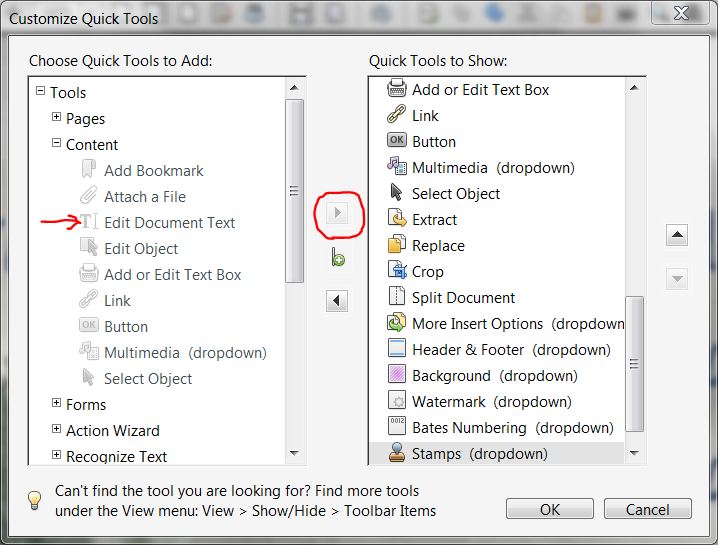
Then click Ok.
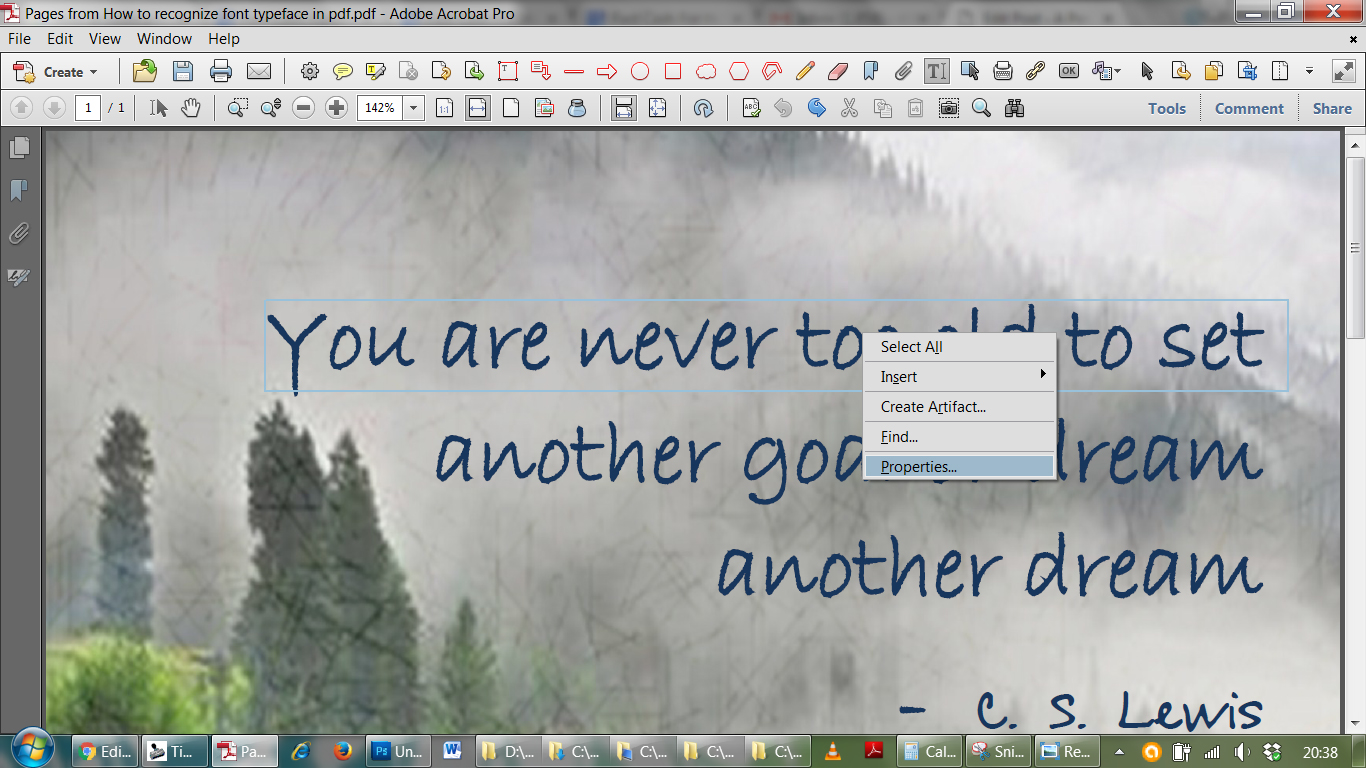
Ok now, once the tool is added to the tool bar, select the tool and right click on the text in the font you wish to recognise. Then select “Properties”.
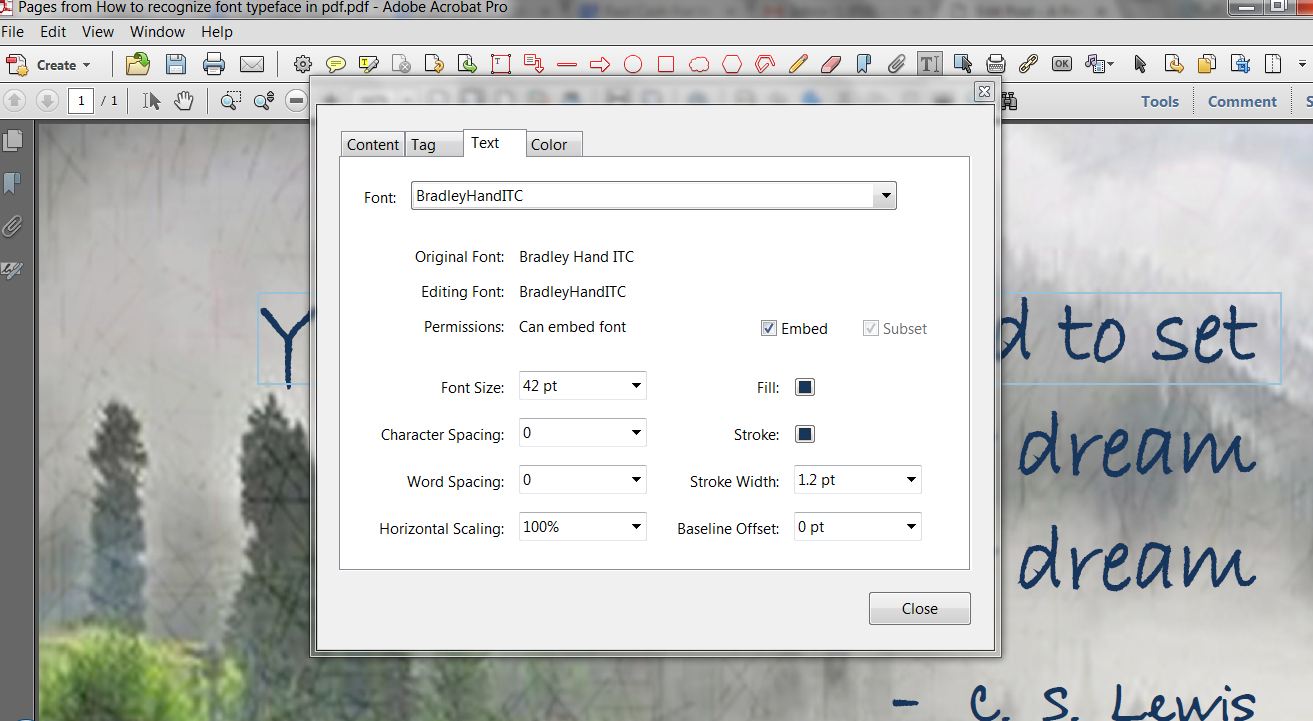
A new window will pop up. Click on the Text tab. You should not only be able to see the font type face, but also the color and size. Isn’t that amazing!
It’s always fun to learn new things and share, isn’t it?. Spread the word and help others. Bye for now, until next time 🙂
