
 A couple weeks ago, the anti-virus software on my laptop expired (I use Windows OS). It happened just a few days before I was expecting a payment from a client, so I decided to wait till I get paid, and then purchase the renewal. Big mistake!
Two days after the anti-virus software expired, I had to complete an assignment. As soon as I opened up the web browser on my laptop, all sorts of weird things started to happen.
A gazillion windows popped up, some convincing me to buy faux leather purses from Alibaba.com (no offense!), while others offering me a holiday package of 5 nights 6 days in Bora Bora island, etc. etc.
After about 5 minutes of cautiously ignoring and bitterly closing these windows full of tempting offers , I finally made my way to a blank browser window.
By that time, I was fully aware that my laptop was infected with a malware. Which malware? You may ask. Well, I had yet to find that out.
I started by looking at the list of installed softwares on the control panel of my laptop. To my dismay, there was nothing unusual….at least nothing that I noticed (since I am not that tech savvy when it comes to operating systems and hardwares).
I decided to look at my web browser. I usually use Google Chrome and occasionally use Firefox. I opened up a new window in Google Chrome and the same thing started happening. The windows started popping up like crazy.
There, I saw it. Cramped in a corner, in a small font, were the words “Ad by CounterFlix”. So THAT was the culprit!
Now, since I did not have any active anti-virus installed, I started looking for ways to remove this malware manually.
There were quite a few free tutorials online on removing Counterflix, but honestly, they were too complicated for me. The steps involved removing any suspicious programs from control panel and then manually removing files from Windows registry. Well, that’s too hi-tech for me.
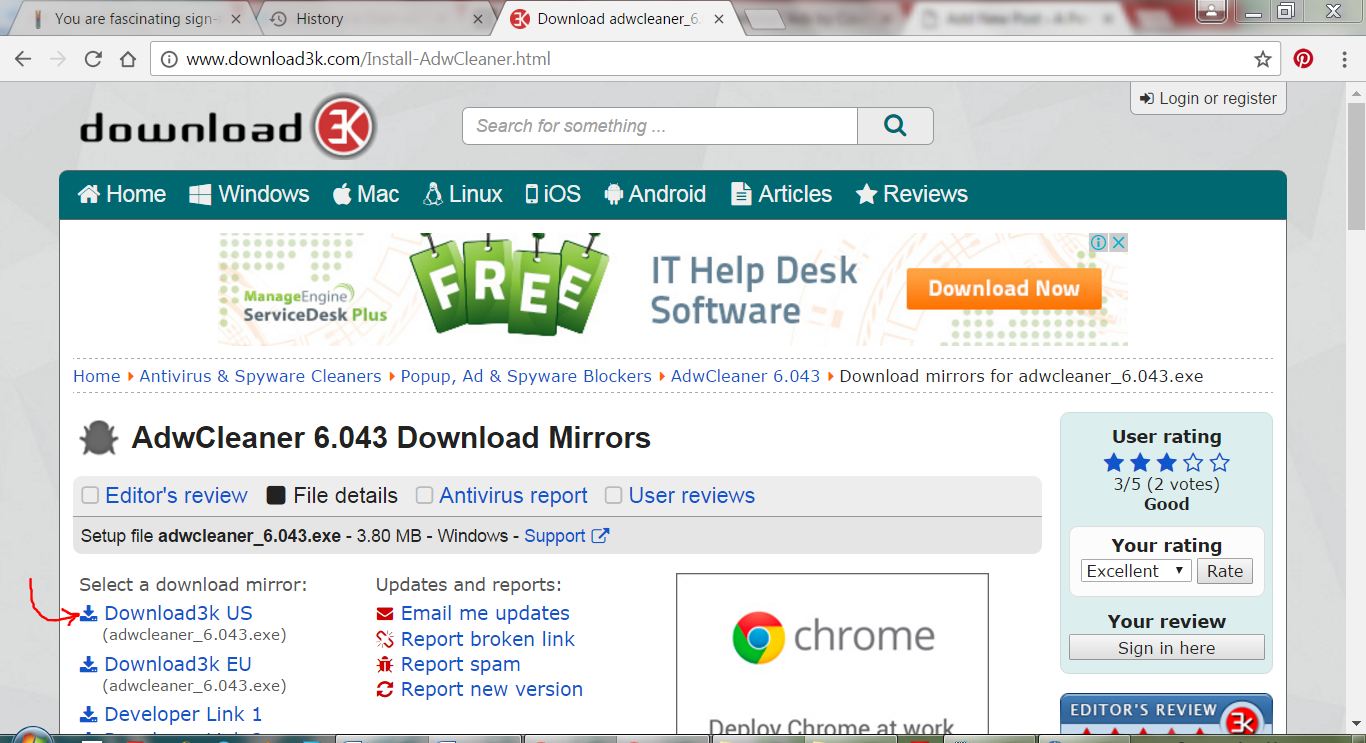
In the quest of finding a simple solution, I came across this amazing free Anti-Malware software called ADWcleaner. I was able to download and use it very quickly, without any problem from the link here: http://www.download3k.com/Install-AdwCleaner.html
The software took some time to scan my laptop after I hit the Scan button, and gave me a list of about 49 suspicious files that were there on my laptop. Yikes! I was then asked if I wanted to remove these files….duh…. yeah! All I had to do was click on a button, the software did the rest. CounterFlix was a history.
I highly recommend ADWcleaner for removing malwares from Windows based computers. It is super easy to use and very effective.
Do give it a try and let me know of your experience. Best of all, it is free. Download now: http://www.download3k.com/Install-AdwCleaner.html
Thanks for stopping by. More interesting stuff coming next week. Stay tuned.
